8
IQD40,000
standard two keyboard full-size layouts
- بارودۆخبەکارهاتوو
- ئایا دابینکردنی گەیاندن هەیە؟بەڵێ
- گەڕەکئەوانەی تر
- شارسلێمانی
- بەشی لاوەکیهێنەر و پارچەی دیکە
- بەشیاری و یاریهکان
- ئیشتێک ژمارە282887122
- بەرواری بڵاوکردنەوە20-06-2026
وەسف
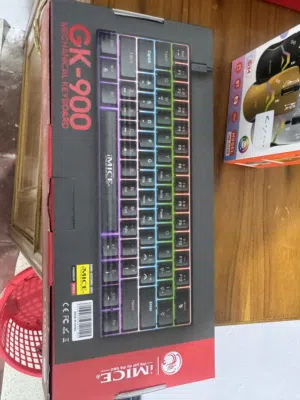
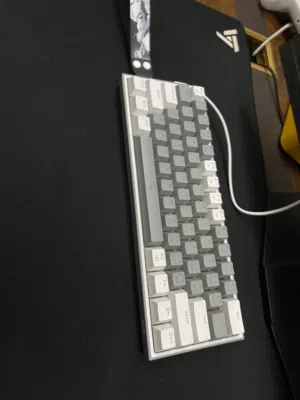
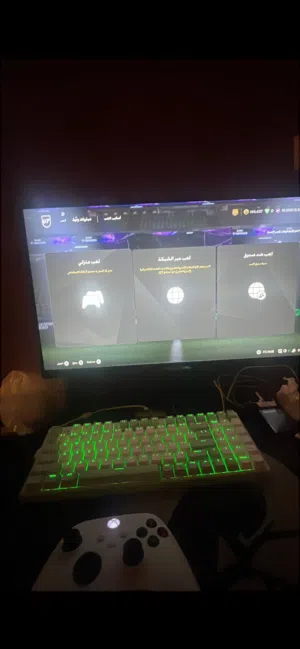
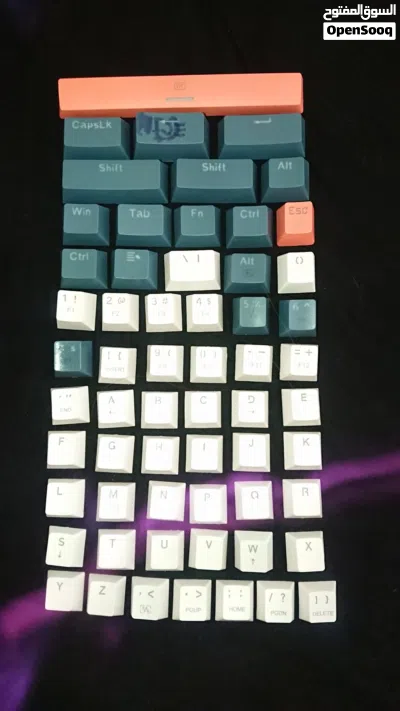
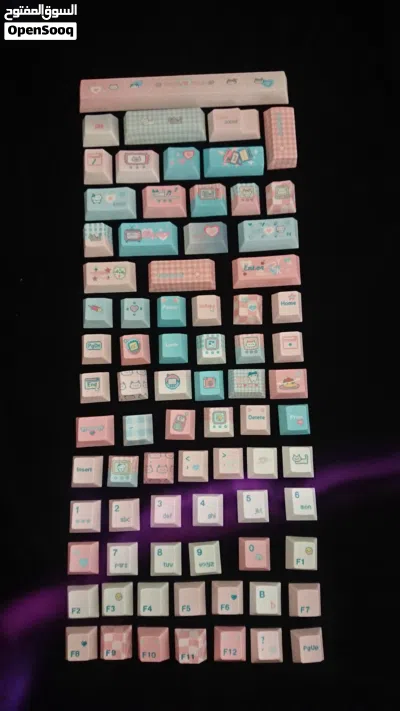
The two keyboard photographs present an intriguing contrast in design philosophy, each catering to different user habits and ergonomic needs. At first glance, both appear to be fully functional input devices with the standard complement of alphanumeric keys, modifier buttons, and navigation controls. However, their most striking difference—the placement of the numeric keypad—reveals a deliberate choice that affects posture, hand dominance, and workflow efficiency in ways that are often overlooked by casual users.
The first image showcases the conventional full-size keyboard layout that has dominated the computing world for generations. This design follows a time-tested three-zone structure: the main typing area occupies the center, a cluster of navigation keys including Home, PgDn, Insert, and Delete sits between the letters and the numpad, and the numeric keypad itself is anchored firmly on the far right edge. The top row is lined with Function keys from F1 to F12, providing quick access to system commands and software shortcuts. This arrangement implicitly assumes right-handed dominance for numerical input, as the user's right hand can naturally drift toward the numpad while the left hand remains on the home row. For accountants, data entry specialists, and spreadsheet enthusiasts, this layout has become deeply ingrained through years of muscle memory. Yet this convenience comes at a cost—the mouse must be placed even further to the right, often forcing the user into an asymmetrical shoulder posture that can lead to discomfort or repetitive strain over long sessions.
The second image turns this convention on its head by relocating the entire numeric keypad to the left side of the keyboard. The number keys from 0 through 9, along with mathematical operators such as plus, minus, equals, division, and multiplication signs, now sit to the left of the main letter block. This configuration is a deliberate ergonomic intervention designed primarily for left-handed users, or for right-handed individuals who wish to keep their dominant hand on the mouse while entering figures with the non-dominant hand. The modifier keys—Ctrl, Alt, Shift, Caps Lock, and the Windows key—have been rearranged to accommodate this new numpad position, while Tab, Fn, and Esc are also clustered in this left-side zone. This layout reduces the frequency with which the right hand must abandon the mouse to access the numpad, potentially streamlining workflows in graphic design, gaming, or financial modeling. It also encourages a more neutral shoulder alignment, as the mouse can be placed closer to the body's midline rather than stretched far to the right.
The first image showcases the conventional full-size keyboard layout that has dominated the computing world for generations. This design follows a time-tested three-zone structure: the main typing area occupies the center, a cluster of navigation keys including Home, PgDn, Insert, and Delete sits between the letters and the numpad, and the numeric keypad itself is anchored firmly on the far right edge. The top row is lined with Function keys from F1 to F12, providing quick access to system commands and software shortcuts. This arrangement implicitly assumes right-handed dominance for numerical input, as the user's right hand can naturally drift toward the numpad while the left hand remains on the home row. For accountants, data entry specialists, and spreadsheet enthusiasts, this layout has become deeply ingrained through years of muscle memory. Yet this convenience comes at a cost—the mouse must be placed even further to the right, often forcing the user into an asymmetrical shoulder posture that can lead to discomfort or repetitive strain over long sessions.
The second image turns this convention on its head by relocating the entire numeric keypad to the left side of the keyboard. The number keys from 0 through 9, along with mathematical operators such as plus, minus, equals, division, and multiplication signs, now sit to the left of the main letter block. This configuration is a deliberate ergonomic intervention designed primarily for left-handed users, or for right-handed individuals who wish to keep their dominant hand on the mouse while entering figures with the non-dominant hand. The modifier keys—Ctrl, Alt, Shift, Caps Lock, and the Windows key—have been rearranged to accommodate this new numpad position, while Tab, Fn, and Esc are also clustered in this left-side zone. This layout reduces the frequency with which the right hand must abandon the mouse to access the numpad, potentially streamlining workflows in graphic design, gaming, or financial modeling. It also encourages a more neutral shoulder alignment, as the mouse can be placed closer to the body's midline rather than stretched far to the right.
پرسیارە باوەکان
چەند ڕێکلام هەیە بۆ هێنەر و پارچەی دیکە؟
چ باشترین ڕێگایە بۆ پەیوەندی کردن بە فرۆشیار بە شێوەیەکی سەلامەت؟
چۆن دەتوانم چاوپێکەوتنێکی سەلامەت ڕێک بخەم و دڵنیابم لە جۆری کاڵاکە؟

0
30-05-2026
تێبینییە گشتییەکان
- لە جێگەی گشتیدا دیدار بکە
- پیشاپێش پارە مەدە
- ئامێز لە بەراورد کردن بە قوڵی بکە
هەموو شتێک بفڕۆش لە بازاری ئازاد
دەتەوێت ڕیکلامێکی هاوشێوە زیاد بکەیت؟
ڕیکلامەکەت زیاد بکە ئێستا

دەتەوێت بینینە زیاتر بۆ ڕیکلامەکەت؟
پڕومۆت یان دووبارە بڵاوی بکەرەوە بۆ لیستیگەڕەکت
زۆرترین ڕیکلامەکان